How to Read Xbox Error Codes via Raspberry Pi Pico
So we’ve had the ability to read PlayStation 5 error codes for ages, but there wasn’t an equivalent for any of the Xbox consoles. That is, until now! GitHub user Tuxuser released a Pico script allowing you to monitor POST codes mid-2025.
This guide is mostly a retelling of the GitHub guide with additional information included. If you have any difficulties understanding this, or if you need more information about the process, follow the hyperlinks to the official page.
Compatible Consoles:
- Xbox One / One X / One S
- Xbox Series X / S
Getting Started
- Download the latest version of PicoDurango
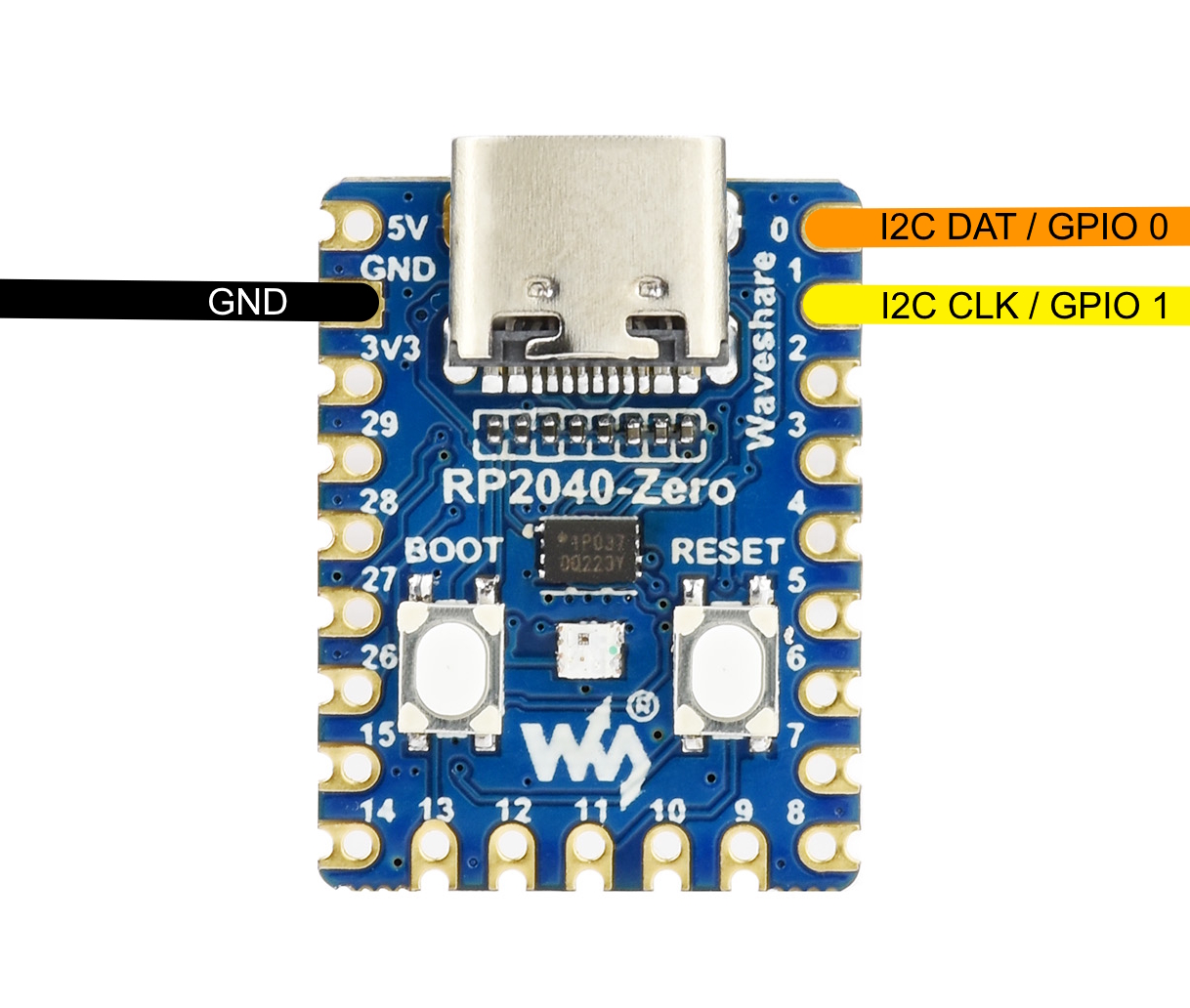
- Plug your Pico, or Pico compatible device like the RP2040-Zero, into your PC.
- It will show up as a drive in file explorer.
- From there you can just drag and drop the UF2 file (Pi Pico: durango_post_monitor.uf2, Pi Pico 2: *_pico2.uf2.)
- The Pico should disconnect from the PC.
- You’re good to go!
Usage
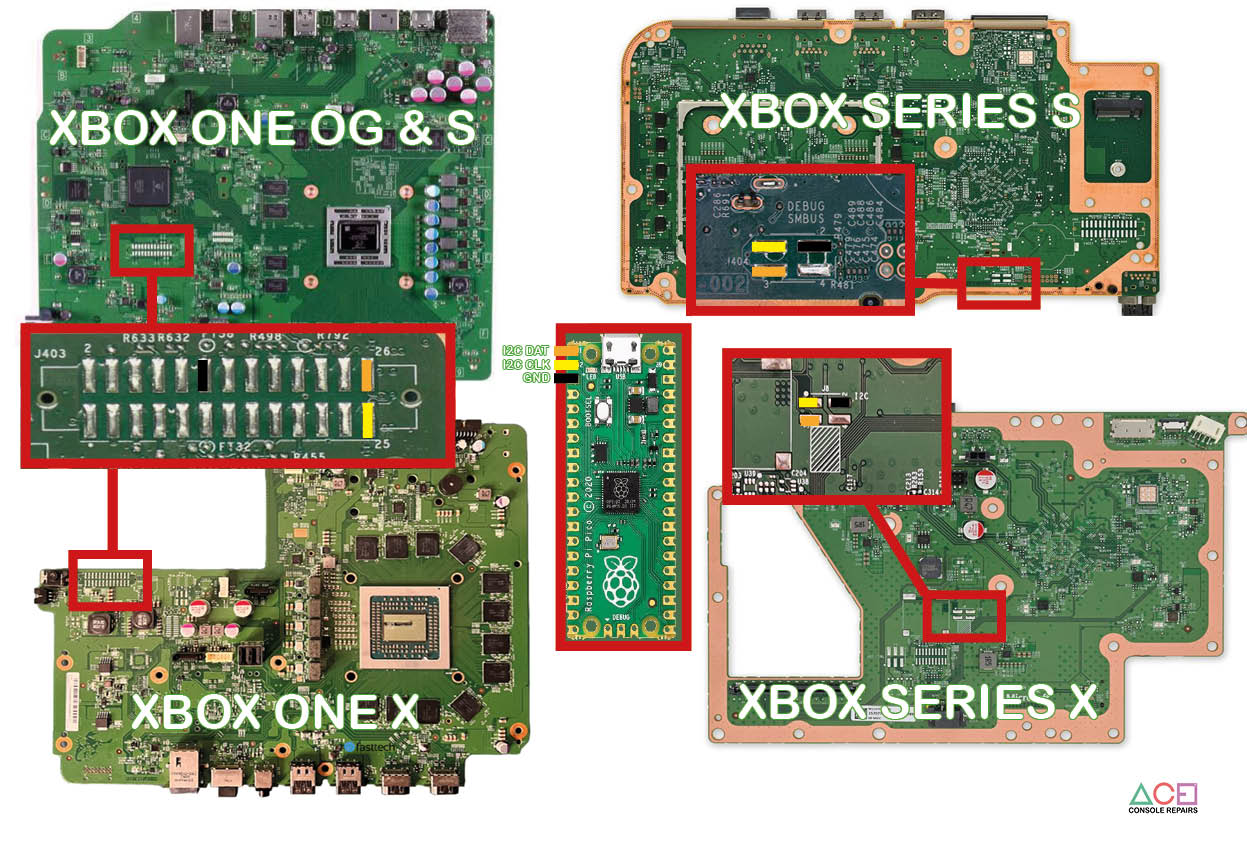
- Solder cables from the Pico to the corresponding points on the motherboard. The bottom of the page includes a visual reference for each revision.
- Plug the Pico into the PC, and plug the power cable into the Xbox.
- Download the latest version of XboxSerialMonitor
- Start the program and select the COM device.
- Click connect, and done!
The program should automatically pull info relevant to the error codes from Xbox Research but it’s worth checking out the website directly because sometimes there are more reports with different information.
RP2040-Zero Pinout: