Xbox One X
| Problem Description | Symptoms | Solution | Source |
|---|---|---|---|
| No response to power button. | - Try a known working front panel. - Try a known working PSU. - Replace HDMI retimer IC. | Source | |
| No display. | Displays in safe mode or in low resolution mode. | Replace the HDMI Boost Protection IC. This IC cannot be purchased so a donor will need to be pulled and reballed. Alternatively, there is a bypass board you can purchase and manually run wires for. | Bypass Board Source |
| No display. | - Test the HDD using CrystalDiskInfo or similar software to ensure it’s a good drive. - Replace HDMI port. - Replace HDMI retimer IC. - Replace the HDMI Boost Protection IC. This IC cannot be purchased so a donor will need to be pulled and reballed. Alternatively, there is a bypass board you can purchase and manually run wires for. | Bypass Board Source | |
| Powers on for a moment then powers off. | - Try a known working PSU. - Check for shorts around the APU, mosfets around here have a high failure rate. - If there are no shorts on the power rail and the main power consumption does not goes much higher than ~20W, replace the thermal paste. | Source | |
| Beep on beep off. | - Check for shorts on the Realtek 8111 Ethernet IC & the surrounding capacitors. The console can boot without this IC for testing. | Source | |
| Overheating despite cleaning. | Sometimes the factory thermal pads are too thick for proper heat transfer, replace them with thinner ones. | Source |
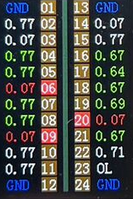
Good Tail Insertion Tester Reading